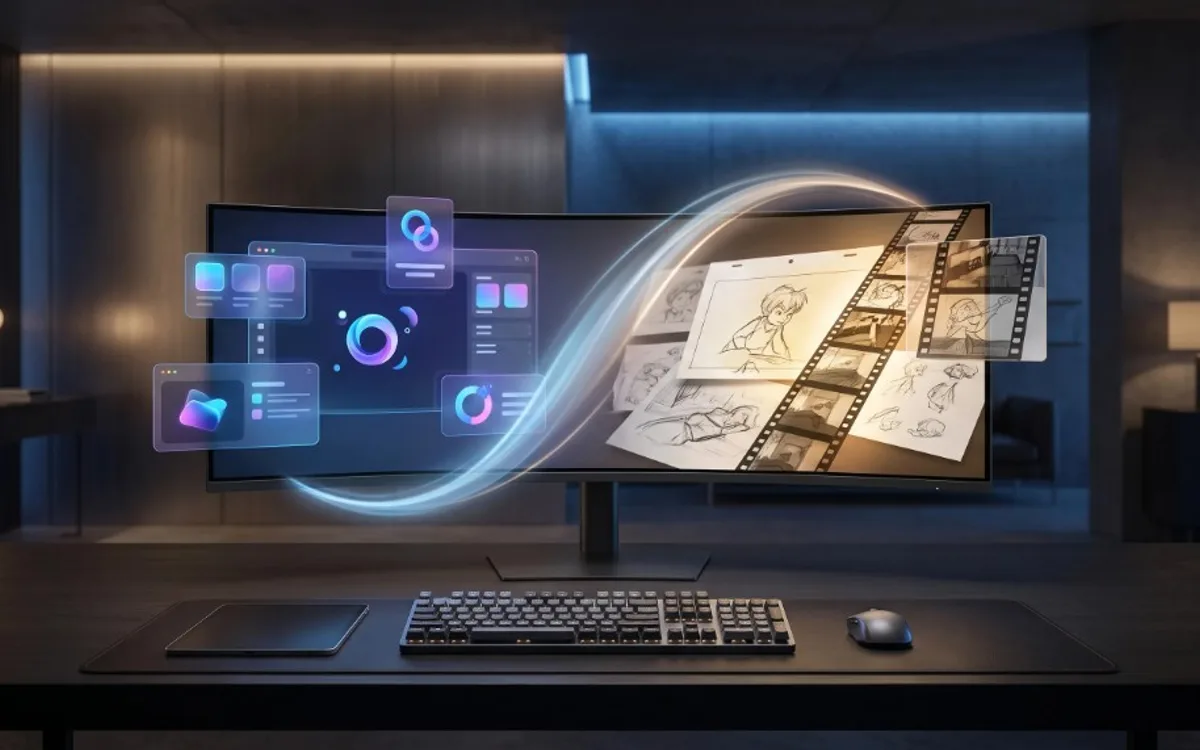
Animation is the broad craft of making anything move on screen, including characters and storytelling. Motion design is a more specific type of animation, focused on graphic elements like text, shapes, logos, and product images, usually to communicate a message quickly rather than tell a story. In short: all motion design is animation, but not all animation is motion design.
These two words get used interchangeably, but if you’re starting to create your own motion content, understanding the distinction helps you pick the right tools and approach for what you actually want to make.
The Simple Difference
Animation is a broad term. It covers anything where images change over time to create the illusion of movement, from a cartoon character walking across the screen to a bouncing logo. Animation has existed for over a century and includes everything from hand-drawn films to modern 3D characters.
Motion design is a more specific type of animation. It usually focuses on graphic elements, like text, shapes, logos, product images, and layouts, rather than characters or storytelling. The goal of motion design is typically to communicate something clearly and quickly, such as a message, a brand feel, or a product feature, rather than to tell a story with characters.
In short: all motion design is a form of animation, but not all animation is motion design.
Why This Distinction Matters
If your goal is to create a short film, an animated character, or a story-driven piece, you are working in the world of traditional animation. This usually takes more time, more skill, and often a team of people, since every movement needs to be planned and built from scratch.
If your goal is to make your brand, product, or social media content look more polished and engaging, motion design is usually what you actually need. It is faster to produce, does not require character or story skills, and focuses on things like smooth transitions, clean typography, and simple visual movement.
Most businesses, freelancers, and everyday creators are actually looking for motion design, even if they use the word “animation” to describe it. Knowing this can save you a lot of time when searching for tools or tutorials, since animation resources are often built for a completely different skill set and goal.
Where You See Each One
Traditional animation shows up in places like animated films, cartoons, character-driven ads, and story-based content. It usually takes a noticeable amount of time and planning to produce, even for a short clip.
Motion design shows up in places like social media posts, product showcases, app previews, website banners, and short promotional videos. It focuses on movement that supports a message rather than movement that tells a story.
If you are creating content for a brand, a shop, or a personal portfolio, there is a good chance you are looking for motion design, not full animation.
You Do Not Need Animation Skills for Motion Design
This is one of the most important things to understand. Traditional animation often requires learning timelines, keyframes, and frame-by-frame movement, which can take months or years to get comfortable with.
Motion design, especially the kind used for social media and marketing, has become far more accessible thanks to ready-made templates. Instead of building movement from scratch, you can use a template where the timing and motion are already designed, and simply add your own images or text into it.
This is the exact idea behind Frametion. Rather than animating something from zero, you choose a motion template, such as a card stack, a 3D ring, or a carousel, and drop your own images into it. The movement is already built in, so you get a polished result without needing any animation background.
How to Know Which One You Need
If you are unsure which category fits your project, ask yourself a simple question: are you trying to tell a story with characters, or are you trying to present something clearly and attractively?
If the answer is a story, you are likely looking at traditional animation, which usually benefits from more advanced tools or working with an animator.
If the answer is presenting a product, message, or brand in a more engaging way, motion design is almost always the faster and more practical choice, and it is something you can realistically do yourself with the right templates.
Getting Started with Motion Design
If motion design is what you need, the easiest way to start is not by learning animation software. It is by experimenting with templates that already handle the movement for you. This lets you focus on your images and your message instead of technical details.
A simple starting process looks like this:
- Choose a motion template that matches the feel you want, such as clean, playful, or professional.
- Upload your own images into the template.
- Preview the animation and adjust position or size until it looks right.
- Export it as a video or as a still mockup, depending on where you plan to use it.
You can go through this entire process inside the Frametion app, without installing software or learning animation terms.
Frequently Asked Questions
Is motion design a type of animation?
Yes. Motion design is a more specific, focused branch of animation built around graphic elements like text, shapes, and product images, rather than characters or storytelling.
Do I need animation skills to do motion design?
No. Ready-made motion templates already have the timing and movement built in, so you can create polished motion content just by uploading your own images.
Which one is faster to produce, motion design or animation?
Motion design. It doesn’t require character or story development, so it’s typically faster and cheaper to produce than traditional animation.
Which one should I use for social media content?
Motion design. Most social media, product, and brand content is looking to communicate a message clearly, which is exactly what motion design is built for.
Motion Design Is the More Practical Path
Motion design and animation are related, but they are not the same thing. Animation is the broader craft of bringing things to life through movement, while motion design is a faster, more focused approach built for messages, brands, and products rather than stories and characters.
For most creators and businesses, motion design is the more practical path, especially with templates that remove the need for animation skills entirely. If you want to try it, explore the ready-made templates inside Frametion and turn your own images into polished motion content in just a few minutes.