
Motion templates
Drop your images into ready-made animated scenes and preview polished motion without building timelines from scratch.
Core features
Frametion packs templates, preview, and export into one browser studio so you can ship polished motion faster.
Drop your images into ready-made animated scenes and preview polished motion without building timelines from scratch.
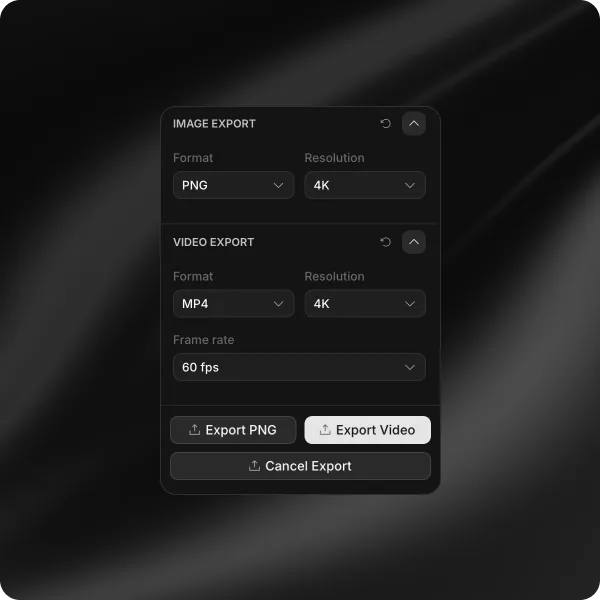
Export seamless MP4 or WebM loops in current canvas size or 4K for reels, ads, and product launches.
Download high-resolution mockups as PNG or JPG with optional transparent backgrounds for decks, stores, and social posts.
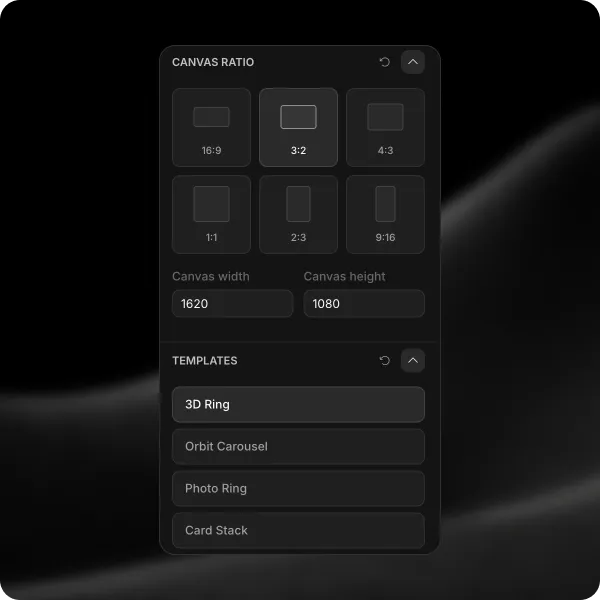
Switch aspect ratios for portrait, square, and widescreen deliverables while keeping every card inside the frame.
Scrub, loop, and inspect every frame in the browser before you commit to a final export.
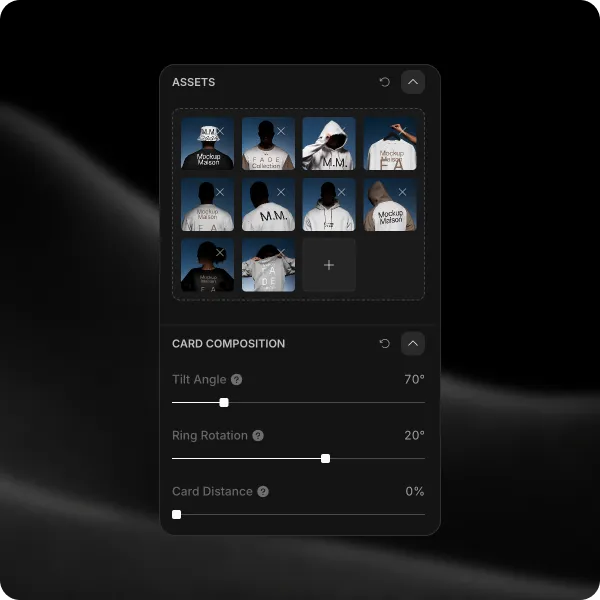
Upload several images, reorder the set, and animate them together inside one composition.
How it works
Open a template, drop in your images, and ship polished motion without leaving the browser.
Choose from a wide range of motion templates—3D rings, carousels, card stacks, and more. Set your canvas ratio and style in seconds.
Upload your images, then customize position, angles, spacing, size, and more with sliders that update every frame live.
Export seamless video loops in 4K or WebM. Pause the video anytime and download your mockup at the paused frame as PNG or JPG.
Showcase
Explore real Frametion outputs—3D rings, stacks, carousels, and more—designed to loop seamlessly for social, ads, and product launches.
FAQ
Everything you need to know about templates, exports, and getting polished motion out of Frametion.